



We are excited to now accept returns!
Posted by Jacob on 2026 Oct 5th
Need to send something back? No worries! Requesting a return is quick and easy, and you can do it all right from your Rearz account. Here's how it works.
1 Log In to Your Account
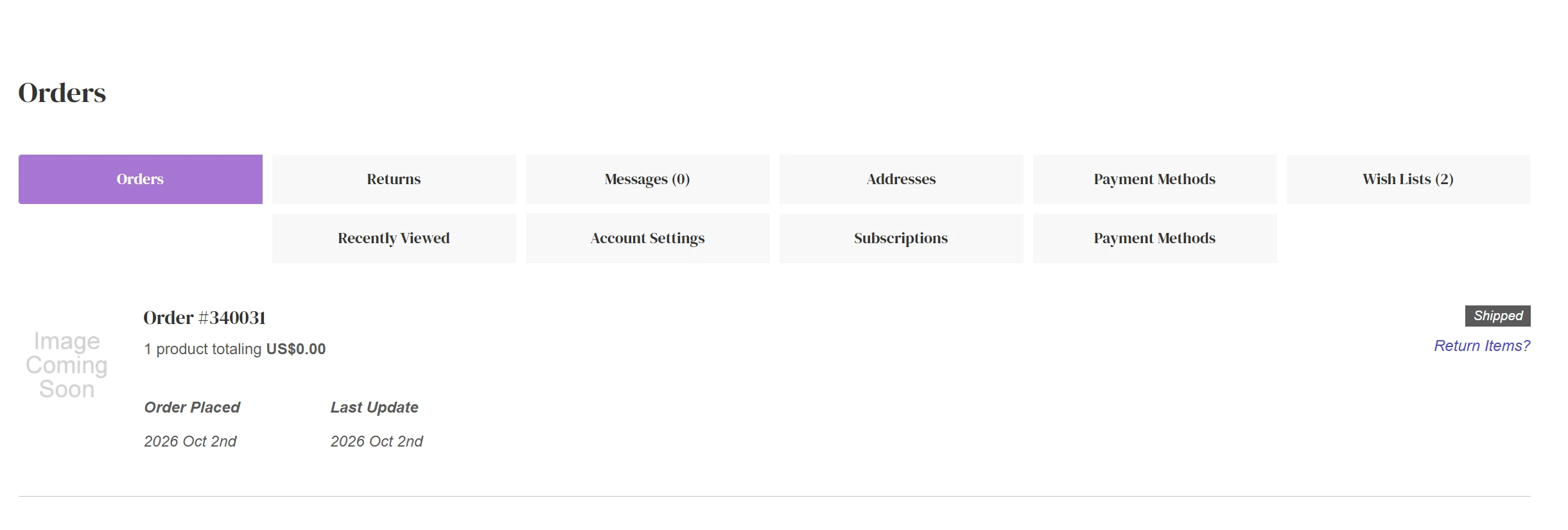
Return requests are handled through your online account, so start by logging in. Once you're in, head to the Account section and click on Orders.
2 Find Your Order and Click "Return Items"
Each order can be returned on its own once it has been delivered. Find the order you'd like to return and look under the Shipped icon. You'll see a button labeled Return Items. Give it a click to get started!
3 Choose Your Products and Tell Us Why
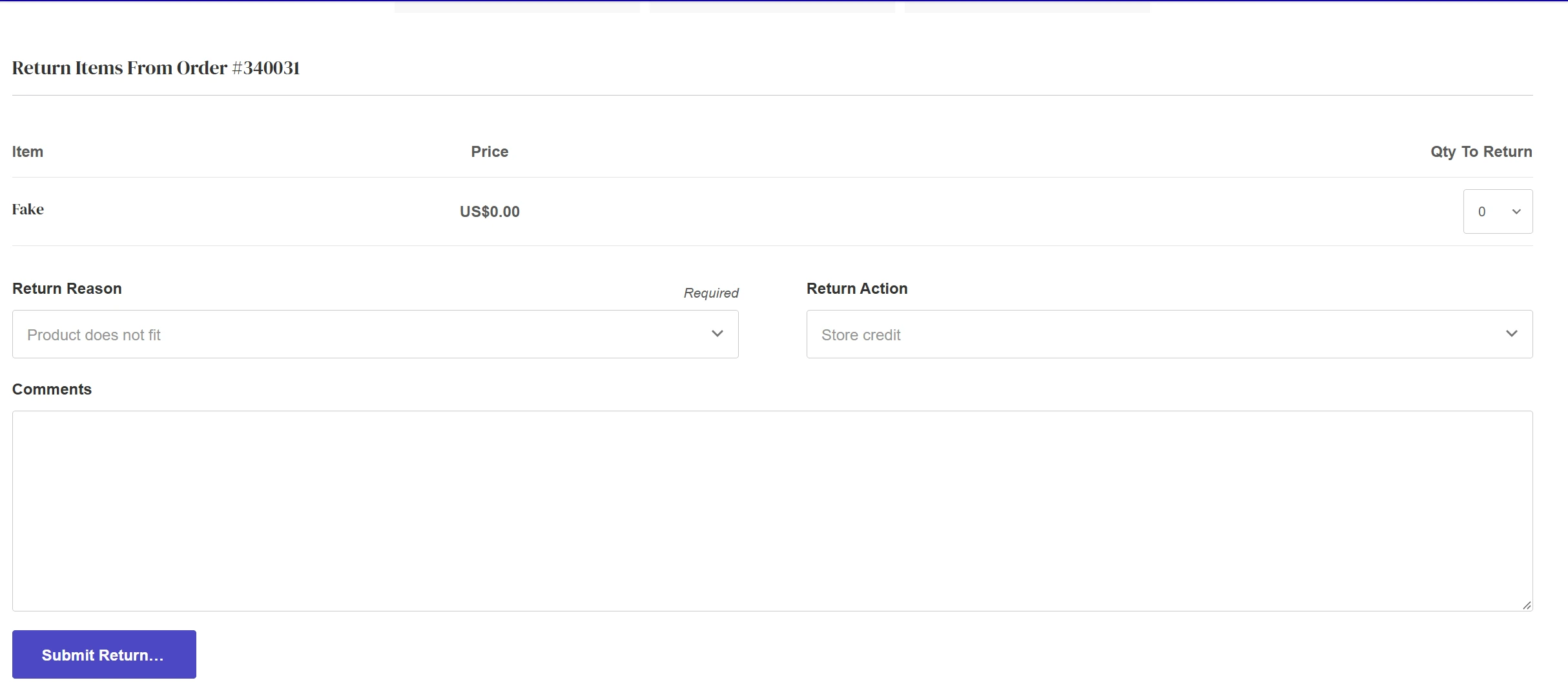
Next, select the products you'd like to send back. Returning a partial case? Just enter 1 as the quantity. Then pick your return reason from the list.
Before you submit, please leave a quick note telling us why you're returning the items and what condition they're in. The more details you share, the easier it is for our team to review your request.
4 Sit Tight While We Review
That's it! Once your request is submitted, our team will take a look. When it's approved, we'll send you instructions on how to return your items.
Questions? We're Here to Help!
If anything is unclear or you need a hand with your return, reach out to our friendly support team. We're always happy to help!